











Powered by TeamAI

White-Label AI for Multi-Client Management

Reduce the risks that keep multi-client companies awake at night—client data exposure, compliance violations, and implementation failures—while delivering white-labeled AI capabilities that clients see as your proprietary solution.

Try TeamAI Now


Full-screen TeamAI screenshot showing the prompt and chat area. On the left panel, 'Team Prompts' are listed, while the right panel displays a 'Team Prompt in Action'. The TeamAI logo is subtly visible in the background.

Powered by

🚀 Trusted by 1,000+ Businesses

Built for the Way MSPs Actually Work

Managing AI for multiple clients isn’t the same as managing it for one. TeamAI is purpose-built for that complexity, giving you the architecture, branding tools, and operational controls to deliver AI confidently at scale.

Influence key multi-client innovations through this partnership model:

Design workspace isolation architecture balancing security with centralized management efficiency


Build white-label framework that works consistently across all client workspaces


Create cost management tools designed for multi-client profitability


Optimize implementation processes for multiple simultaneous client workspace deployments
 

Start your Deployment Today

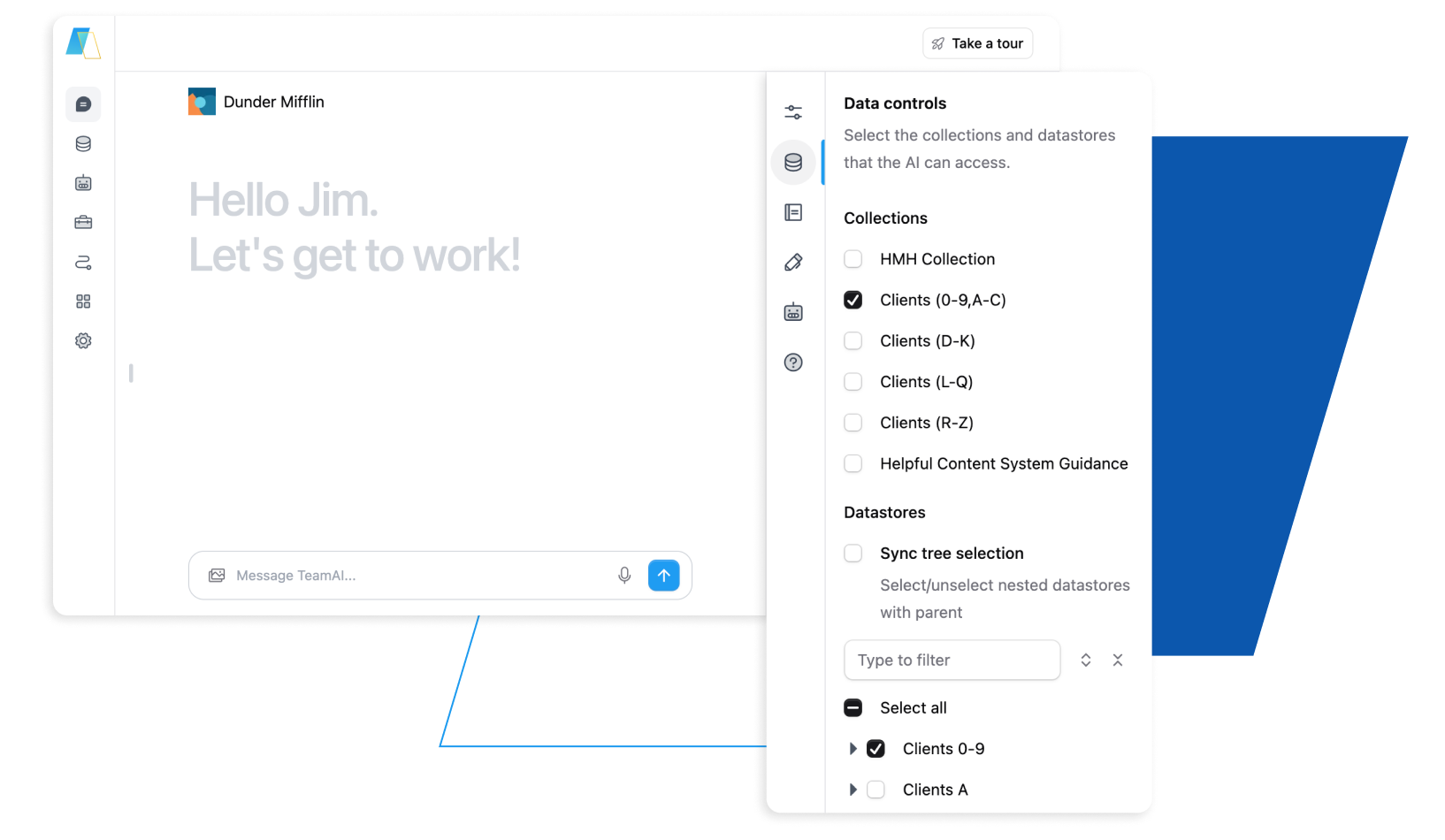
Screenshot of the TeamAI data control sidebar, displaying available datastores and allowing selection for use with chats, tools, or agents.

Brand-Building Solutions for MSP Client Workspaces

Our purpose-built solutions transform client workspaces into powerful brand touchpoints, enabling MSPs to offer seamless, white-labeled experiences that drive client loyalty and business growth—all while maintaining the security and compliance that enterprise clients demand.

Isolation

Complete Client Workspace Isolation + Compliance Support

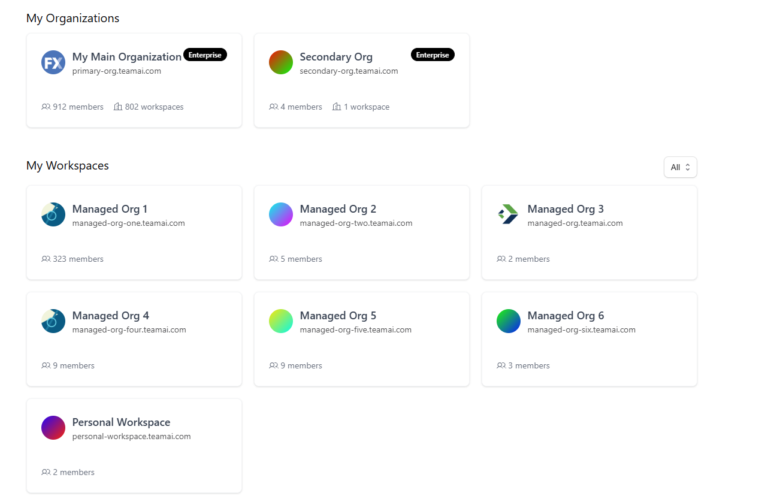
Screenshot of the TeamAI platform's 'Working Workspaces' page. This view presents an overview of all accessible workspaces and their corresponding organizations, allowing users to navigate and manage their team environments.

Create absolute separation between client workspaces while maintaining centralized management capabilities.

White-Label

AI as Your Proprietary Technology with Complete White-Label Branding

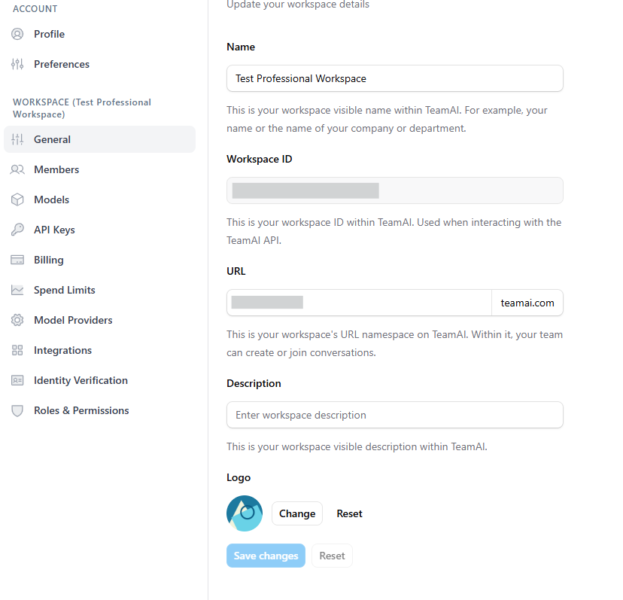
The left panel's 'Settings' menu is open, displaying the 'General' options. Fields visible include Workspace Name (for display), Workspace ID (for API), Workspace URL (for conversations), a visible Description field, and an option to personalize the workspace logo.

White-Label Capabilities:

  • Customize logos completely across all client workspaces
  • Brand all system communications and notifications
  • Display your company identity in all client-facing interfaces
  • Personalize workspace naming and organization
AI Governance

Implement AI Governance Across All Client Workspaces

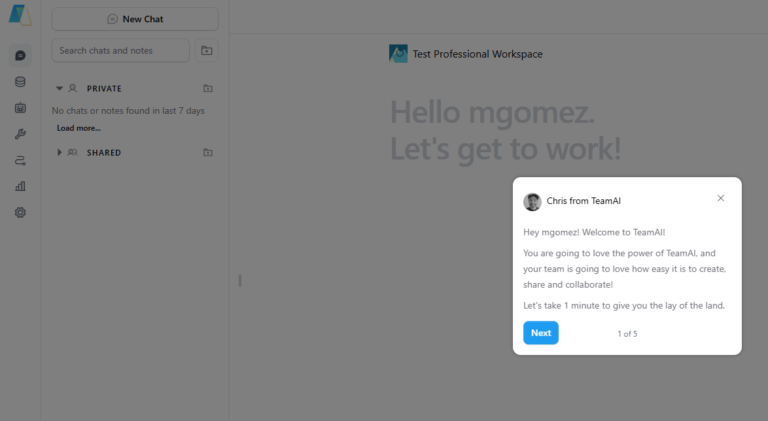
TeamAI screenshot: The interface features a prominent 'Take the Tour' button, highlighting an in-app guide designed to demonstrate the user interface and provide immediate support for new users adapting to the platform.

Multi-Workspace Governance:

  • Configure workspace-specific policies and controls for different client requirements
  • Monitor governance status across your entire client portfolio through centralized dashboard
  • Access individual workspace reporting and compliance documentation
  • Deploy secure AI capabilities that remain completely separated between clients
Proven Methodology

Deploy Successfully Across Multiple Client Workspaces with Proven Methodology

Screenshot of the TeamAI platform, showcasing the 'Take the Tour' feature as a key support mechanism to help users easily navigate and adapt to the interface, ensuring a smooth onboarding experience.

Multi-Client Implementation Support:

  • Follow structured deployment methodology optimized for multiple client workspace rollouts
  • Access templates and documentation for different client requirements
  • Receive dedicated support throughout multi-workspace implementation phases
  • Get workspace-specific optimization recommendations based on client needs
Costs Control

Protect your margins and predict costs for every client you serve

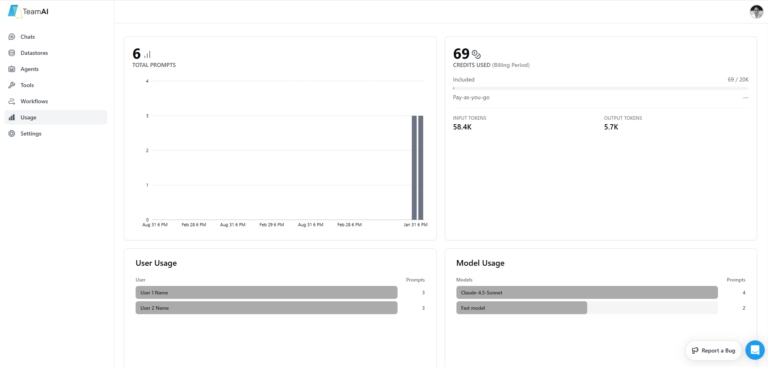
Screenshot of the TeamAI platform's 'Usage' section. The main panel shows a dashboard summarizing total prompts, credits consumed, input tokens, and output tokens. Below this, there are charts or lists detailing individual user adoption by prompt count, and AI model usage with prompt counts for each model utilized in the workspace.

Multi-Workspace Cost Controls:

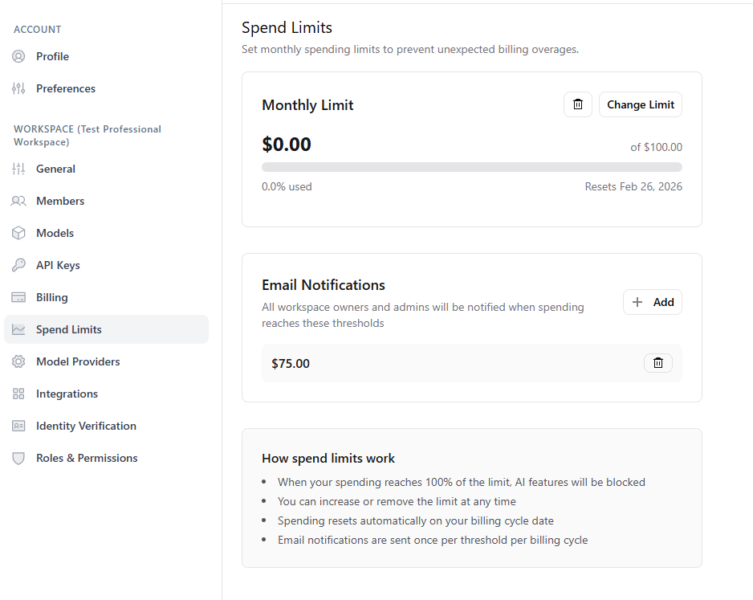
  • Implement individual client workspace spending caps with automatic controls
  • Monitor usage and generate reports across your entire client workspace portfolio
  • Access workspace-specific billing reports for accurate client invoicing and margin analysis
  • Quote projects confidently with transparent pricing structure

What We Provide

Start Using TeamAI Today

AI platform capabilities, technical innovation, and comprehensive multi-client support

Together we create: Features that deliver both technical functionality and multi-client business value

Start Using TeamAI Today

Multi-Client Companies FAQs

  • How does workspace isolation work across multiple clients?

    Create complete separation between all client workspaces while maintaining organization-level management capabilities for your team. Individual client workspaces cannot see other workspaces within your organization, maintaining the strict separation essential for multi-client operations.

  • Can I white-label the experience differently for different client workspaces?

    Yes. Apply consistent branding across all client workspaces or customize branding differently for different client workspace groups using our comprehensive white-labeling system. Your clients will experience TeamAI as your service offering, with TeamAI remaining invisible.

  • How does billing work across multiple client workspaces?

    Access consolidated billing for your organization while maintaining the ability to track usage by individual client workspace. Set workspace-specific spending limits and receive alerts when individual workspaces approach thresholds.

  • What makes TeamAI different for multi-client companies?

    Combine AI platform capabilities with understanding of multi-client business models through TeamAI. Features like complete workspace isolation, comprehensive white-labeling, streamlined integrations, and multi-client focused cost controls demonstrate this specialized focus.

Try TeamAI Today

Create your AI-driven workspace in just 30 seconds

Create a Workspace