











Multi-LLM Platform

Google Workspace Integration for AI Teams

Connect TeamAI with Gmail, Drive, Calendar, Sheets, and Docs. Automate workflows, triage emails, and manage documents with AI-powered Google Workspace integration.

Start Automating Your Workflows

A split-screen view shows a Google Workspace interface on the right, featuring a dashboard with "Google Workspace" prominently displayed and a "Workspace Admin" section. The left side displays a list of emails or messages, with some text visible including "New login" and "Google Drive."

Powered by

Trusted by 1,000+ Businesses

Your Team Deserves Smarter Google Workspace Integration

The Problem
Your team already lives in Google Workspace — managing emails in Gmail, collaborating in Docs, analyzing data in Sheets, and scheduling in Calendar. But switching between apps, manually updating spreadsheets, and triaging hundreds of emails wastes hours every week.

The Solution
TeamAI transforms your Google Workspace into an AI-powered command center. Connect natively across Gmail, Drive, Calendar, Docs, and Sheets so your AI agents work directly within your existing Google environment — with full context and permissions, eliminating manual busywork without disrupting your workflow.
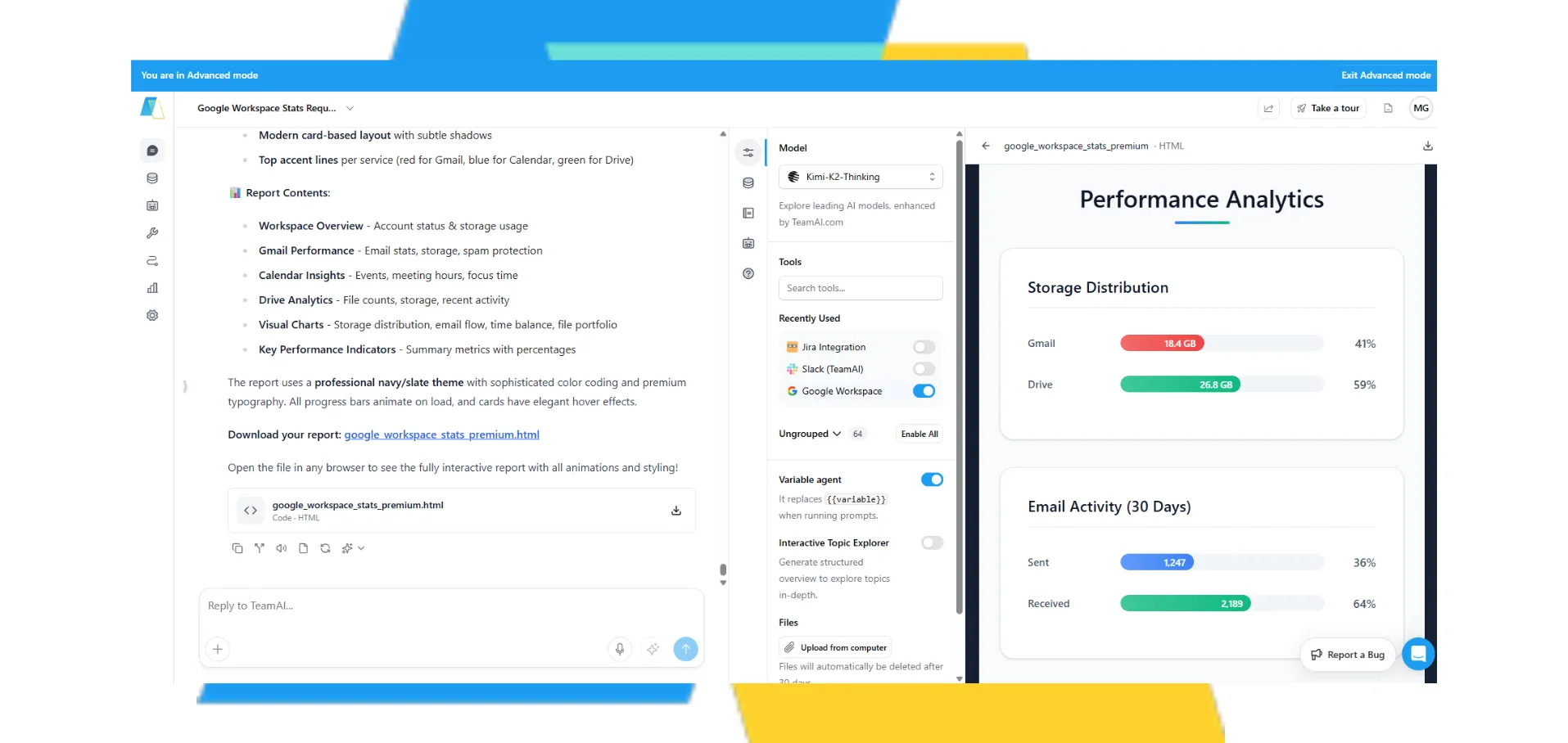
A digital dashboard displays various metrics and settings, including performance data, storage distribution, and smart activity logs, suggesting a system monitoring or management interface.

Two Ways to Connect Google Workspace

Native One-Click Integration — Recommended

Connect TeamAI to Google Workspace with one simple click. Your AI agents work directly across Gmail, Drive, Calendar, Docs, and Sheets — no third-party platforms needed. Agents operate within your Google environment with full context and permissions, making automation feel invisible.

Learn more >

Zapier Integration

Connect TeamAI to Google Workspace through Zapier’s automation platform. Set up workflows using your API key — no coding required. Ideal for teams who want to chain TeamAI into broader multi-app sequences alongside 8,000+ other tools.

Learn more >

Build a Better Version of GPTs

Build a Better Version of GPTs

Nutshell Superpowers it’s Marketing Team

“TeamAI is like a superpowered ChatGPT. It gave our team a way to work together using tools like GPT-4 and Claude 2.”

Key Capabilities by Google App

Gmail: AI-Powered Email Intelligence

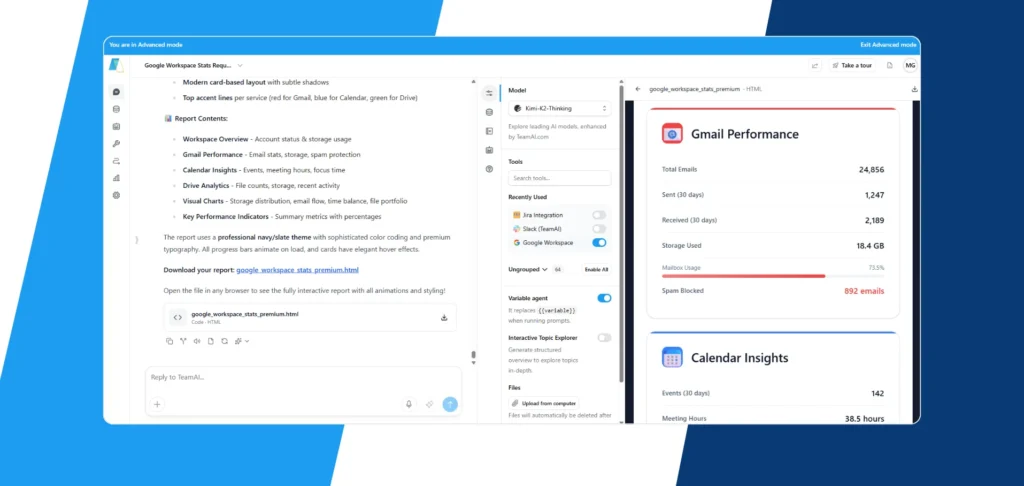
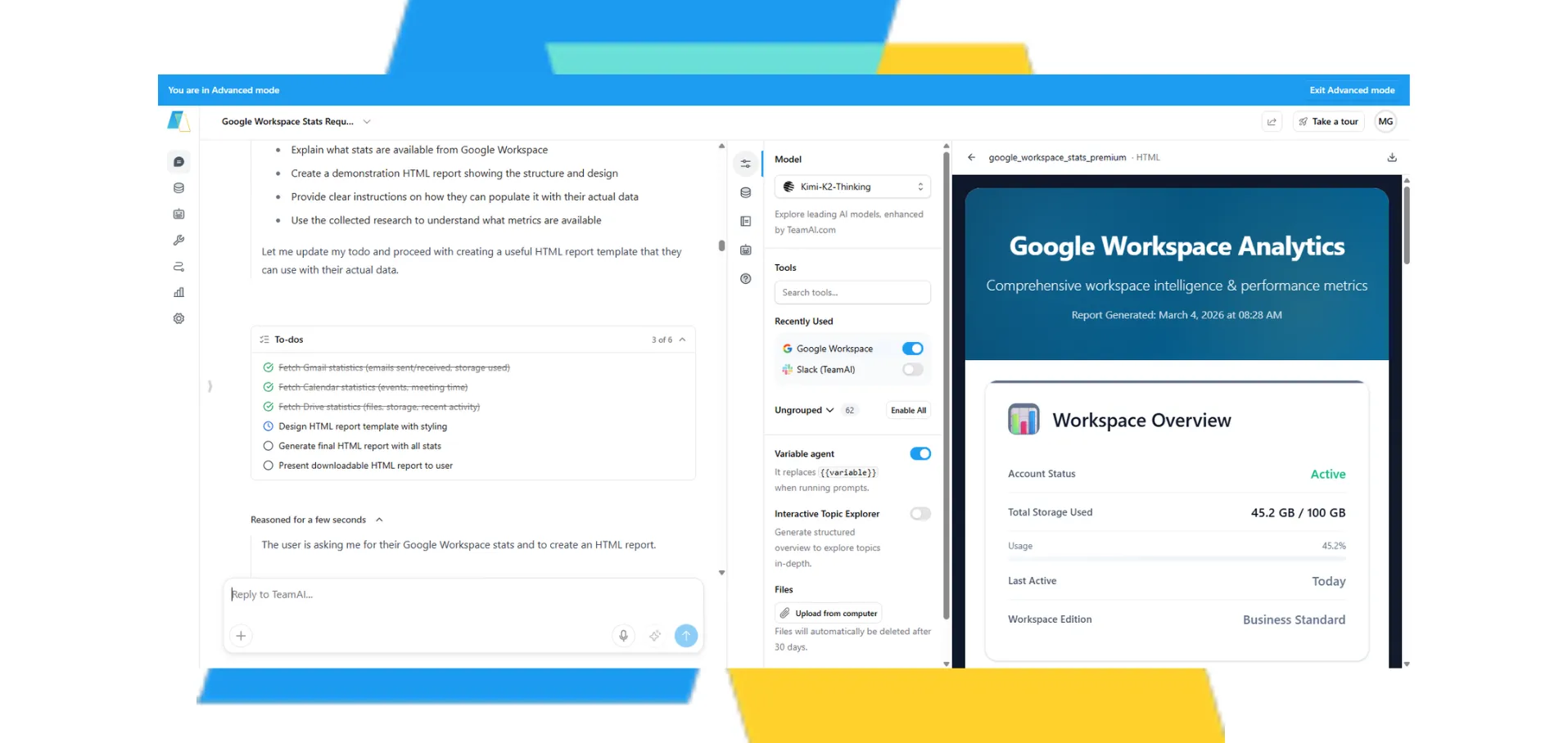
This image displays a screenshot of a web application, likely a dashboard or reporting tool, showcasing Google Workspace statistics. The interface features a modern card-based design with sections for Gmail performance, calendar insights, and drive analytics. The left panel provides a report outline and options for interacting with the data, while the right panel presents detailed metrics such as total emails, storage usage, and spam blocked. The overall aesthetic is professional, with a navy and slate color theme and subtle animations.

What your team can do:

  • Automatic triage: AI reads incoming emails, filters newsletters from urgent client requests, and surfaces what needs attention
  • Draft responses: Generate professional email replies based on your brand voice and past conversations
  • Smart summaries: Get briefings like "3 urgent client emails, 2 require responses by EOD"
  • Approval workflows: AI drafts emails and waits for your approval before sending

Google Calendar: Schedule-Aware AI

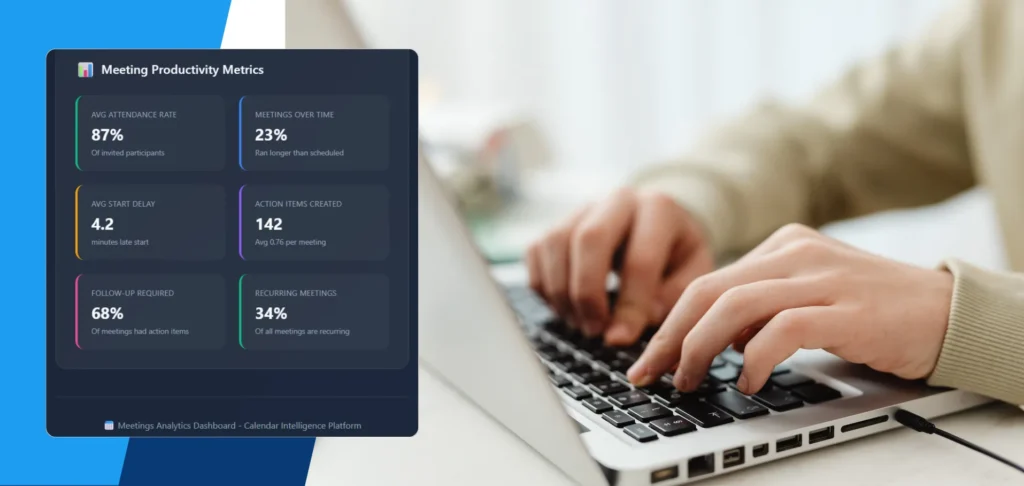
A person's hands are seen typing on a laptop, with a "Meeting Productivity Metrics" dashboard displayed on the screen. The dashboard shows key performance indicators such as average attendance rate (87%), meetings over time (23% ran longer than scheduled), average start delay (4.2 minutes), action items created (142), follow-up required (68%), and recurring meetings (34%). The platform is identified as "Meetings Analytics Dashboard - Calendar Intelligence Platform."

What your team can do:

  • Meeting preparation: AI surfaces context before calls — past discussions, open action items, and relevant documents
  • Conflict prevention: Agents check availability before proposing meeting times
  • Smart reminders: Get notifications with meeting prep 30 minutes before important calls
  • Time blocking: AI automatically reserves focus time based on your task priorities

Google Drive: Intelligent Document Management

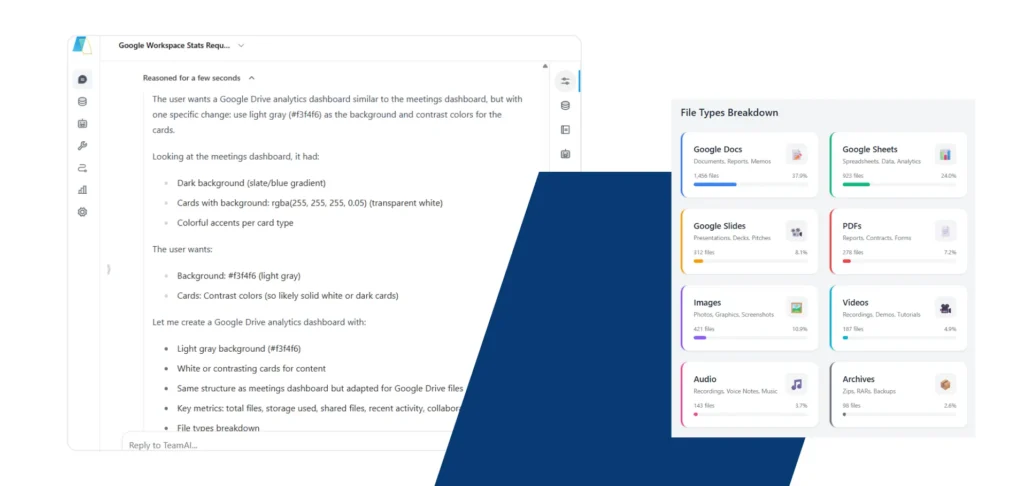
This image displays a user's request for a Google Drive analytics dashboard, detailing desired design elements like a light gray background and contrasting cards, alongside a visual representation of a 'File Types Breakdown' showing the distribution of Google Docs, Sheets, Slides, PDFs, Images, Videos, Audio, and Archives.

What your team can do:

  • Smart organization: AI categorizes and files documents automatically based on content and project
  • Instant retrieval: Ask "Find the Q1 financial report" and get the exact file in seconds
  • Document generation: Create formatted Docs from meeting notes, research, or data analysis
  • Knowledge base integration: Connect Drive files directly to your Custom Agents so your team can ask questions and get cited answers from your actual stored documents

Google Sheets: Automated Data Operations

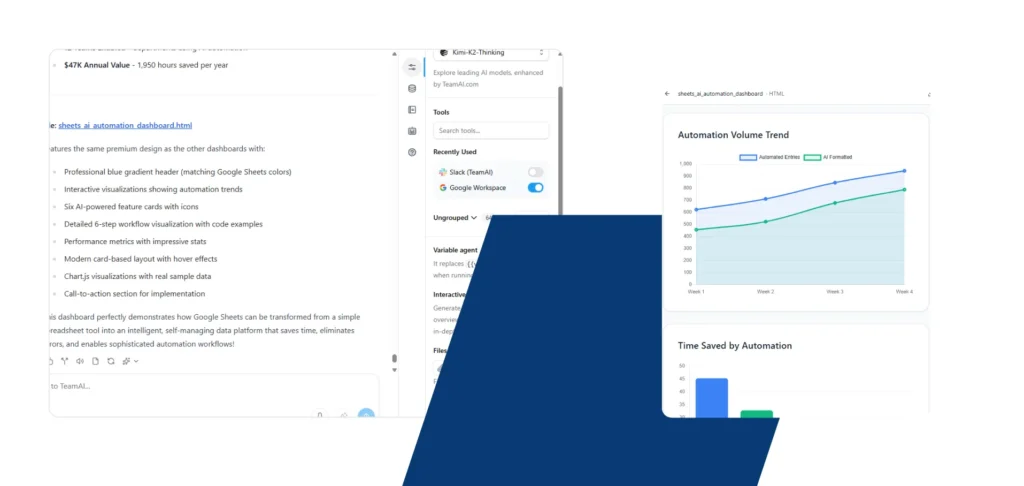
This image showcases a dashboard designed to demonstrate how Google Sheets can be transformed into an intelligent, self-managing data platform. It highlights features like AI-powered insights, interactive visualizations of automation trends, and performance metrics, all contributing to saving time and eliminating errors. The dashboard also includes a call-to-action for implementation, suggesting a focus on practical application and efficiency gains, with an estimated annual value of $47K and 1,950 hours saved per year.

What your team can do:

  • Real-time data population: Automatically add form submissions, workflow outputs, or research findings to specific sheets
  • Intelligent formatting: AI structures data, adds formulas, and creates summary tables
  • Report generation: Transform raw data into formatted, shareable financial reports or dashboards
  • Triggered workflows: New spreadsheet rows launch AI workflows for data enrichment or follow-up tasks

Google Docs: AI-Powered Document Creation

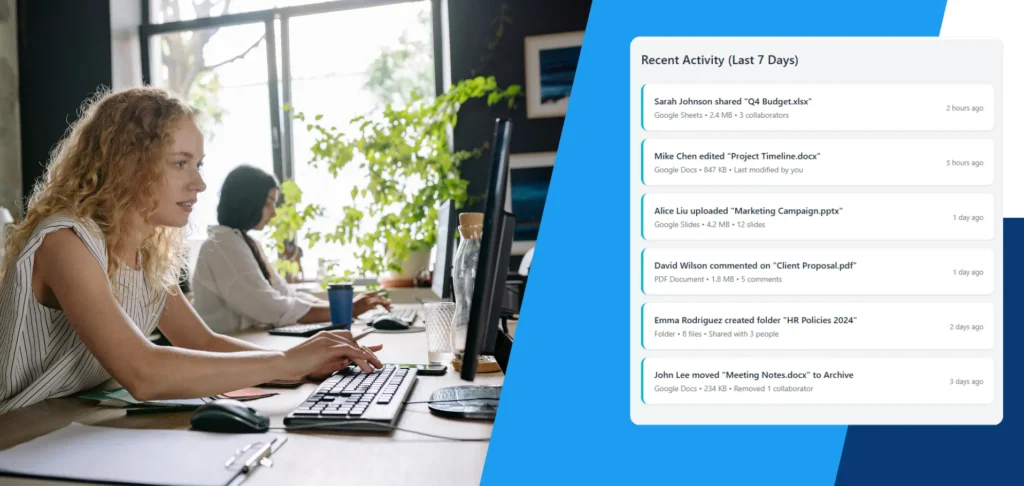
The image displays a modern office environment with two women working on computers, set against a backdrop of a window and lush greenery. To the right, a user interface element shows "Recent Activity (Last 7 Days)" with a list of file-related actions, such as sharing, editing, uploading, commenting, and folder creation, attributed to different team members like Sarah Johnson, Mike Chen, Alice Liu, David Wilson, Emma Rodriguez, and John Lee. This suggests a collaborative and active digital workspace.

What your team can do:

  • Template-based generation: Create documents from your custom templates with AI-populated content
  • Meeting notes transformation: Convert conversation transcripts into formatted, actionable Docs
  • Content expansion: AI drafts proposals, reports, or briefs based on your bullet points
  • Collaborative editing: Append findings to existing documents as your research progresses

Integration in Action

Scenario 1: Monday Morning Briefing

You ask: “Check my calendar for this week and any urgent emails from the weekend.”

AI delivers in 30 seconds:

  • 3 meetings this week (with participants and topics)
  • 2 urgent client emails requiring responses
  • 1 payment reminder for Wednesday
  • Suggested focus blocks for project work

Scenario 2: Lead Management Automation

Trigger: New Google Form submission (potential client inquiry)

Automated workflow:

  • AI extracts intent and company details from form
  • Enriches lead data via web search
  • Adds complete lead profile to Google Sheet
  • Creates follow-up task in your project management tool
  • Drafts personalized outreach email in Gmail
  • Sends Slack notification to sales team

Scenario 3: Meeting Intelligence

Trigger: Calendar event scheduled with client

Automated workflow:

  • AI searches Drive for past meeting notes with this client
  • Reviews previous action items and project status
  • Generates pre-meeting brief in Google Docs
  • Delivers summary via Slack 30 minutes before call
  • After meeting, creates new notes Doc with action items
  • Updates project tracking Sheet with next steps

Stop manually managing emails, calendars, and documents. Connect TeamAI to Google Workspace and let AI handle the repetitive work while your team focuses on strategy and growth.

Transform Your Google Workspace with AI