










Custom AI Connections

Connect Any LLM to Any API
In Minutes

Stop using AI that can’t access your business data. TeamAI lets you create custom plugins that connect any LLM to any API, turning your AI from a chat tool into a business execution engine.

Start Building Your Plugins in TeamAI

Trusted by 1,000+ Businesses for Next-Gen AI Integration

Every LLM. Every API. Fully Connected.

The Problem: Your AI Can’t Access What It Needs

Gray Circled X icon Pull live customer data from your CRM

Gray Circled X icon Update records in real-time

Gray Circled X icon Query your databases for instant insights

Gray Circled X icon Trigger workflows in Zapier, Make, or n8n

Gray Circled X icon Access internal APIs and proprietary systems

Gray Circled X icon Sync data across multiple platforms

Gray Circled X icon Automate complex processes with AI reasoning

Custom Plugins with toggles

The Solution:
Custom AI Plugins Built in Minutes, Not Months
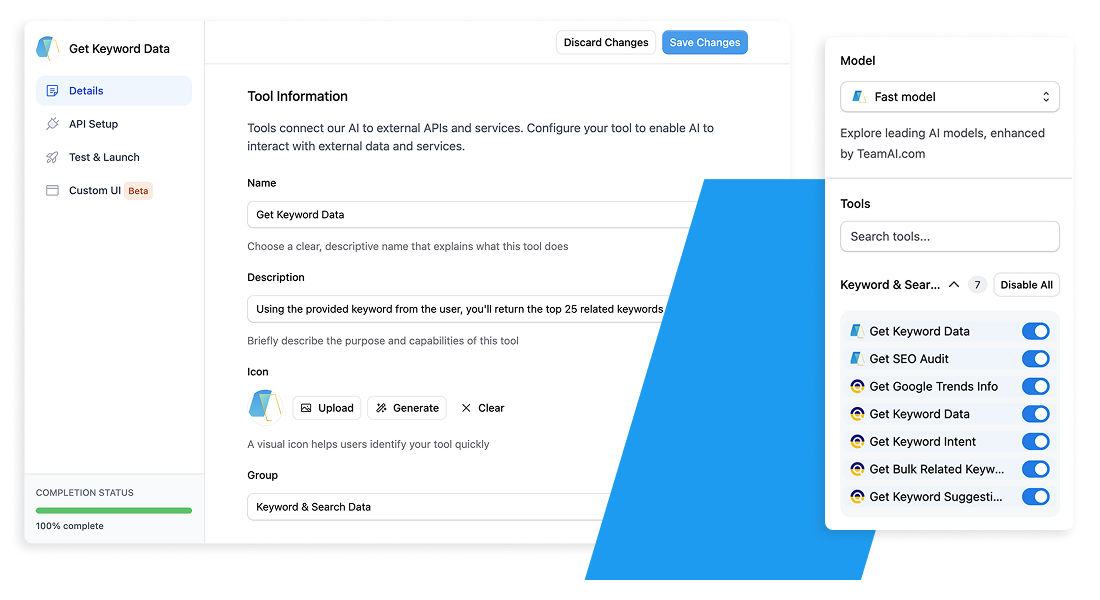
TeamAI’s custom plugin builder lets you connect any LLM (GPT-4, Claude, Gemini, Llama) to any API your business uses — without writing code.

What Your Custom Plugins Can Do:

Blue Circle Checkmark Pull live customer data from your CRM

Blue Circle Checkmark Update records in real-time

Blue Circle Checkmark Query your databases for instant insights

Blue Circle Checkmark Trigger workflows in Zapier, Make, or n8n

Blue Circle Checkmark Access internal APIs and proprietary systems

Blue Circle Checkmark Sync data across multiple platforms

Blue Circle Checkmark Automate complex processes with AI reasoning


See it in Action

Implementation options across teams

Marketing

Data analytics

Retrieve data relating to marketing campaigns, market trends, and consumer behavior, and discuss these insights using TeamAI.

Content calendar management

Gain quick answers about upcoming campaigns, such as when they are happening, to keep up to date.

Design

Feedback analysis

Collect design feedback from external sources, like emails, and find the most relevant insights to use in the revision process.

Resource libraries

Link to a design resource library to access details about color choices and font colors for more consistent project designs.

HR & Hiring

Candidate and employee management

Connect to an application tracking system, job board, or HR system for streamlined candidate and employee management.

Employee status tracking

Use TeamAI to analyze survey responses on satisfaction or enhancement, or track attendance, progress, and training for team members.

Sales

Performance metrics

Integrate your sales platforms into TeamAI to gather customer insights more effectively and gain real-time access to sales performance data.

Feedback collection

Add a plugin that links to your client feedback application and ask questions about the feedback received to improve your services.

Business Development

Market research

Pull insights from market research databases or a competitor analysis to learn about industry trends so you can continue to grow your business.

Proposal or partnership collaboration

Ask TeamAI questions about partnership agreements or proposals once you link these resources using integrations.

Customizable AI Interactions

Customizable AI Interactions

Nutshell Superpowers it’s Marketing Team

“TeamAI is like a superpowered ChatGPT. It gave our team a way to work together using tools like GPT-4 and Claude 2.”

Slanted BG

Tailor your chat experience

Whether you seek to analyze your company data more effectively or streamline the process of using your favorite apps in TeamAI using Zapier, do it all with Custom Plugins. This feature allows you to personalize TeamAI to meet your business needs, enhancing efficiency and enabling you to work more effectively. See what you can do with this feature. Get Started With TeamAI »

Integrate TeamAI With Your Favorite Apps Using Zapier

Developing Custom Plugins in TeamAI

Sit in with our Head of Product, Moiz, as he shows you how to build custom plugins.

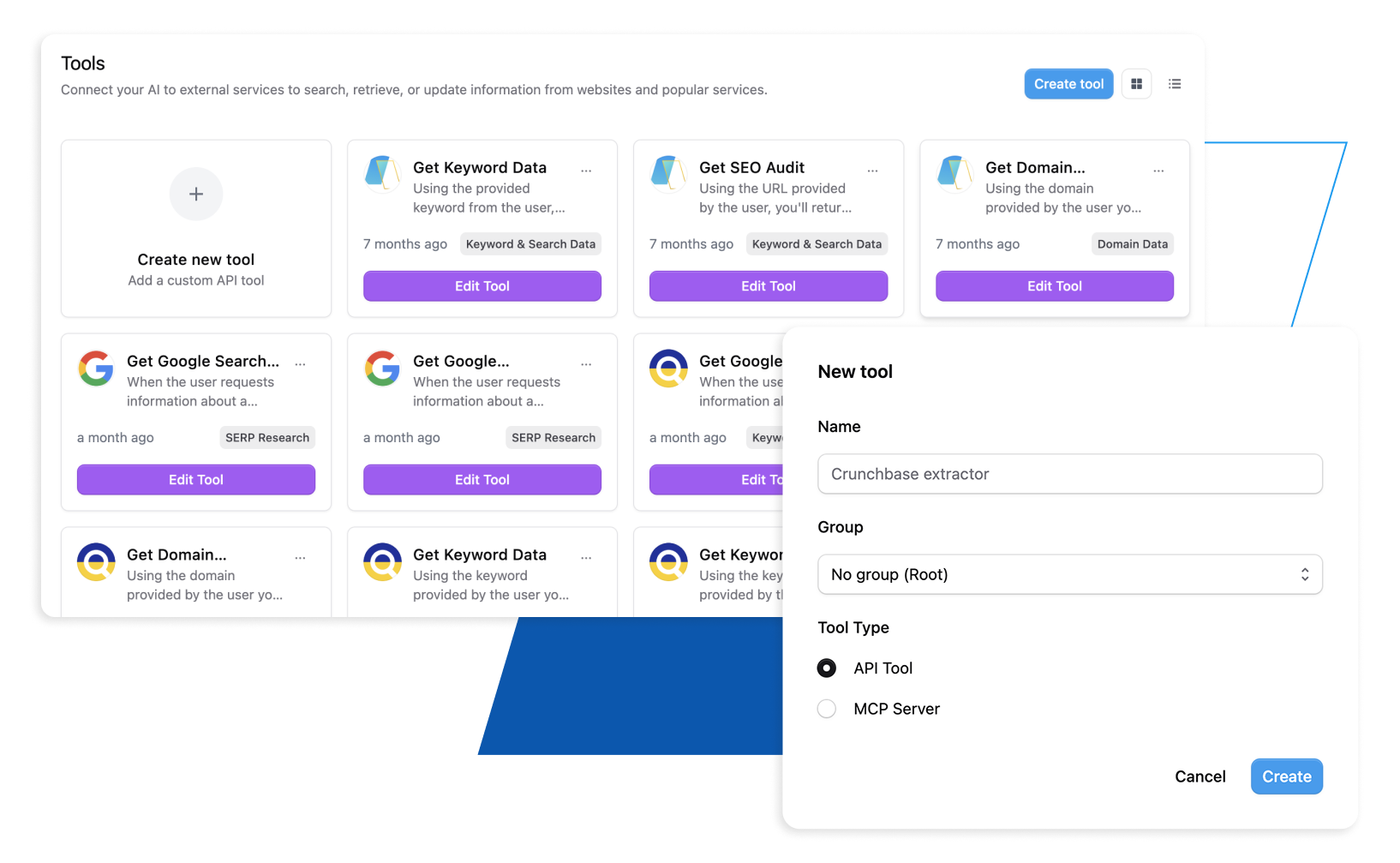
Custom Plugins allow you to tailor TeamAI to suit your requirements by connecting external APIs and services. To create a Custom Plugin, you’ll need to consider several fields, like the name, endpoint, and methods. These details allow you to create an easily recognizable plugin that performs your required functions.

Try TeamAI Today

Create your AI-driven workspace in just 30 seconds

Create a Workspace