












Multi-LLM Platform

TeamAI + Qwen Intelligence: Built for Team Results

Harness Qwen’s 256K context window and advanced reasoning within TeamAI’s collaborative workspace. Create specialized AI agents using Qwen alongside OpenAI, Google, and Anthropic—all designed for team success, not individual chat.

Build Your First Agent

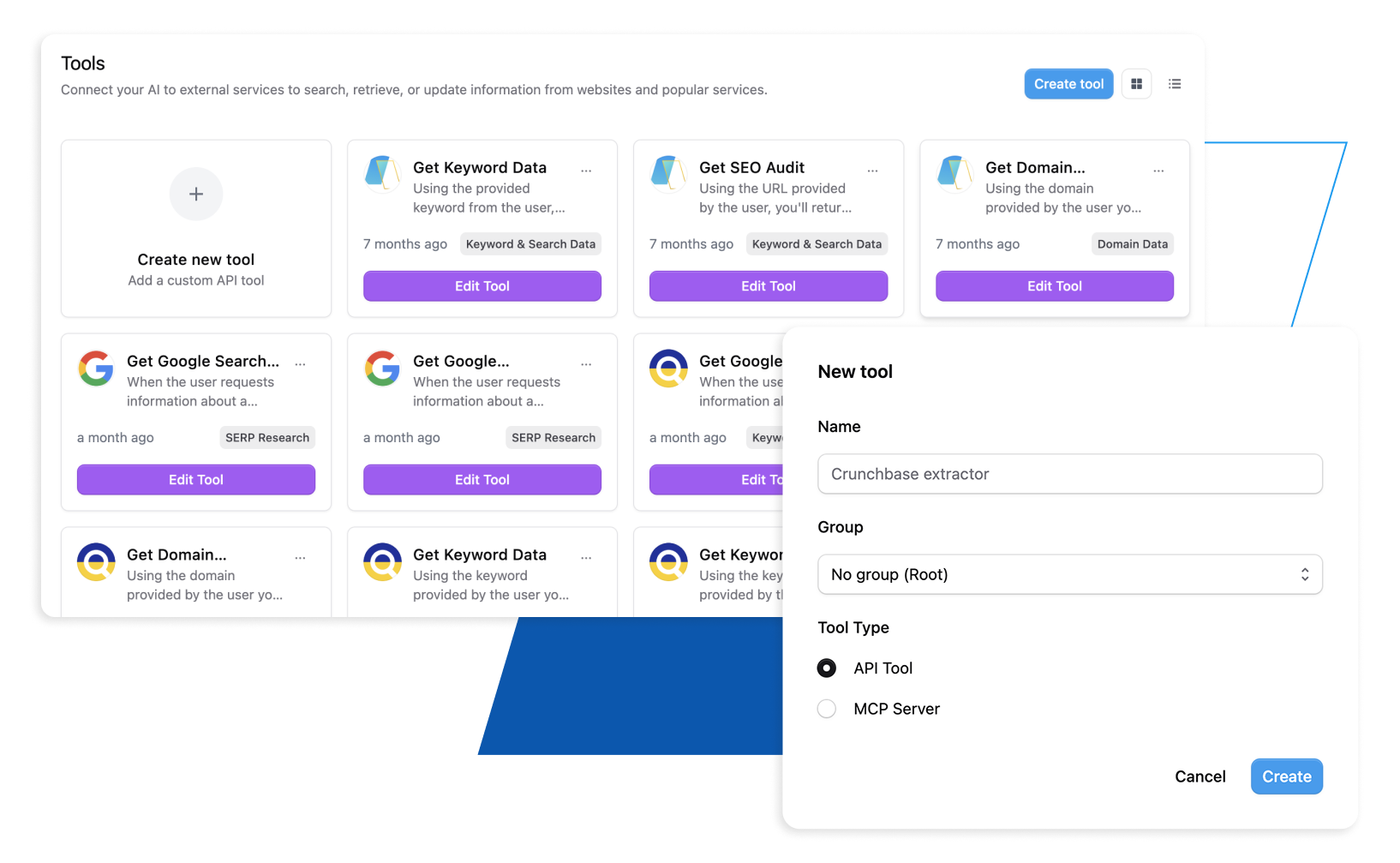
Custom tools

Powered by

Trusted by 1,000+ Businesses

Why Teams Choose TeamAI Over Alternatives

TeamAI Multi-Model AI Workspace

TeamAI combines OpenAI GPT, Google Gemini, Anthropic Claude, and Qwen in one platform. Switch between AI models for content creation, data processing, and complex reasoning.

Custom AI Agent Creation

Build specialized AI assistants without code. Deploy across teams with proper permissions.

Team Collaboration

Shared workspaces, prompt libraries, and collective intelligence enable seamless teamwork.

Workflow Integration

Native Slack integration, Jira connectivity, Zapier support, and MCP Protocol for streamlined project management.


 

Start Building With TeamAI Today

How to Create AI Agents in TeamAI


Open the Agent Builder

Select Create New Agent

Choose Claude (Opus, Sonnet, or Haiku)

Define the Agent’s Purpose

Store and chat with 1000s of documents

Knowledge Base Integration with existing systems

Add Knowledge & Tools

Upload documentation, SOPs, manuals, or specs

Connect knowledge bases

Test & Refine

Use the testing environment to validate behavior

Improve instructions for accuracy and predictability

Deploy & Manage

Set permissions and access controls

Monitor usage, outputs, and team activity


500+ teams are already using AI in their workspace – join them today


Start Building Your First Qwen Agent

Try TeamAI Today

Create your AI-driven workspace in just 30 seconds

Create a Workspace

Qwen Agents You Can Build Today

SMB Local Services

Key Agents

Marketing Copy, Multilingual Support, Process Documentation

Activation Pack

Local Services Starter (Quote agent, Review Replies, RSA planner)

Connectors

HubSpot/Pipedrive, email, calendar Quick Wins: Fast-draft quotes, response templates, regional promotions

SaaS/Tech Marketing

Key Agents

Document Analysis, Creative Campaign, Technical Support, Code Review

Activation Pack

PMM/Support (Release Brief, Support Macros, Competitive Analysis)

Connectors

Slack, Jira, Salesforce, email

Quick Wins

Launch playbooks, bidirectional actions, robust FAQs

Industrial/Manufacturing

Key Agents

Meeting Summary, Data Interpretation, Brand Compliance, Creative Campaign

Activation Pack

Agency Ops (KPI/QBR agent, CSV QA, Campaign Brief)

Connectors

Slack, Google Drive, CRM

Quick Wins

Reusable client briefs, templates, playbooks

Agency/Professional Services

Key Agents

Meeting Summary, Data Interpretation, Brand Compliance, Creative Campaign

Activation Pack

Agency Ops (KPI/QBR agent, CSV QA, Campaign Brief)

Connectors

Slack, Google Drive, CRM

Quick Wins

Reusable client briefs, templates, playbooks

Ecommerce/DTC Growth

Key Agents

Real-time Web Search, Marketing Copy, Strategic Planning, Knowledge Base

Activation Pack

DTC Launch (Promo Brief, PDP Optimizer, ESP/ad QA)

Connectors

ESP/ads platforms, analytics dashboards

Quick Wins

Promo briefs, product Q&A, post-promo analysis

Enhanced FAQ Accordion

Frequently Asked Questions

Can I use multiple AI models in the same project?

Yes. You can create different agents using different models for the same project, or configure agents to switch between models based on task, language, or data sensitivity. This lets you balance speed, safety, and capabilities without rebuilding workflows.

How detailed should agent instructions be?

Be explicit about the agent’s primary function, required knowledge sources, response formats, tone, and any compliance constraints. For Qwen, you can leverage its thinking budget, multilingual scope, and 256K context—so outline how deep to reason, which languages to support, and which data windows to prioritize.

How do I measure agent performance?

TeamAI includes usage analytics, satisfaction signals, and quality monitoring.

How does knowledge integration work (documents, data sources, live web, etc.)?

You upload company documents and guidelines, connect data sources (ERP/CRM, wikis, PDFs, data files), and enable tools (web search, document analysis). Qwen’s large context window helps fuse long documents, while multilingual capabilities support global teams. Knowledge sources can be versioned and updated to keep agents current.

How can I test and validate agents before deployment?

Use TeamAI’s built-in testing environment to simulate real tasks, compare model outputs, and iterate on prompts and configurations. You can test cross-model behavior, verify multilingual responses, and validate governance rules before publishing to the team.

Ready to Build Your First Kimi Agent?

Create an Agent Now

Give your team faster insights, stronger workflows, and more time for the work that matters.

Create an Agent Now