








AI Prompt Library for Teams

Build Custom Prompt Collections That Scale

Share powerful AI prompt templates across your workforce in seconds. Access OpenAI, Claude, and Gemini in one collaborative workspace with built-in prompt management.

Get Started Today

Powered by

Trusted by 1,000+ Businesses

Stop Recreating AI Prompts
Every Time Your Team Needs Them

The Problem:

  • Teams waste time writing the same prompts repeatedly
  • Inconsistent AI output quality across departments
  • No way to share successful prompt strategies
  • Lost productivity switching between AI platforms

TeamAI’s Solution:

  • Centralized AI prompt library for your entire team
  • Pre-tested prompt templates for consistent results
  • Share and collaborate on custom prompts instantly
  • Multi-LLM workspace (OpenAI, Claude, Gemini) in one platform
Team prompt libraries

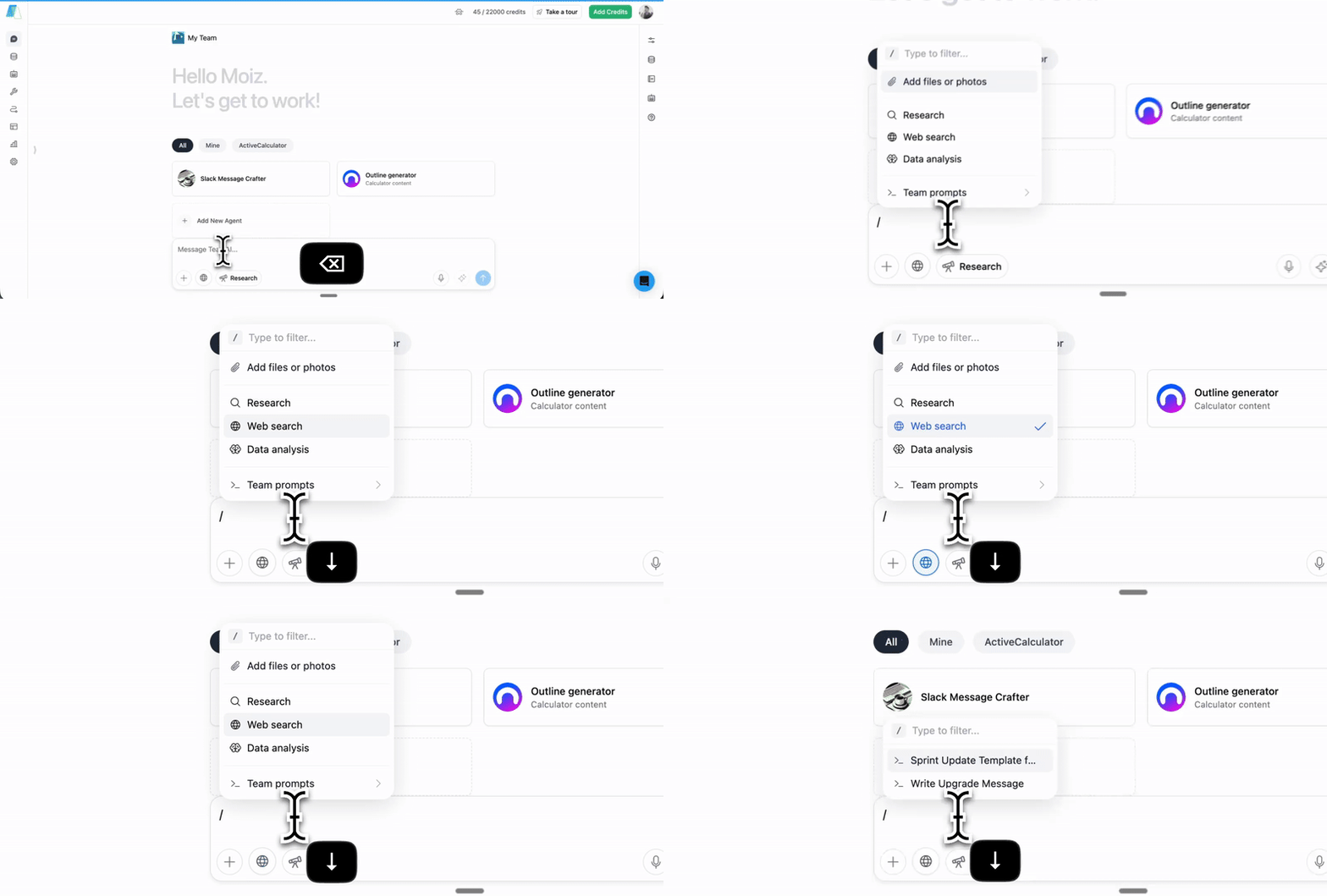
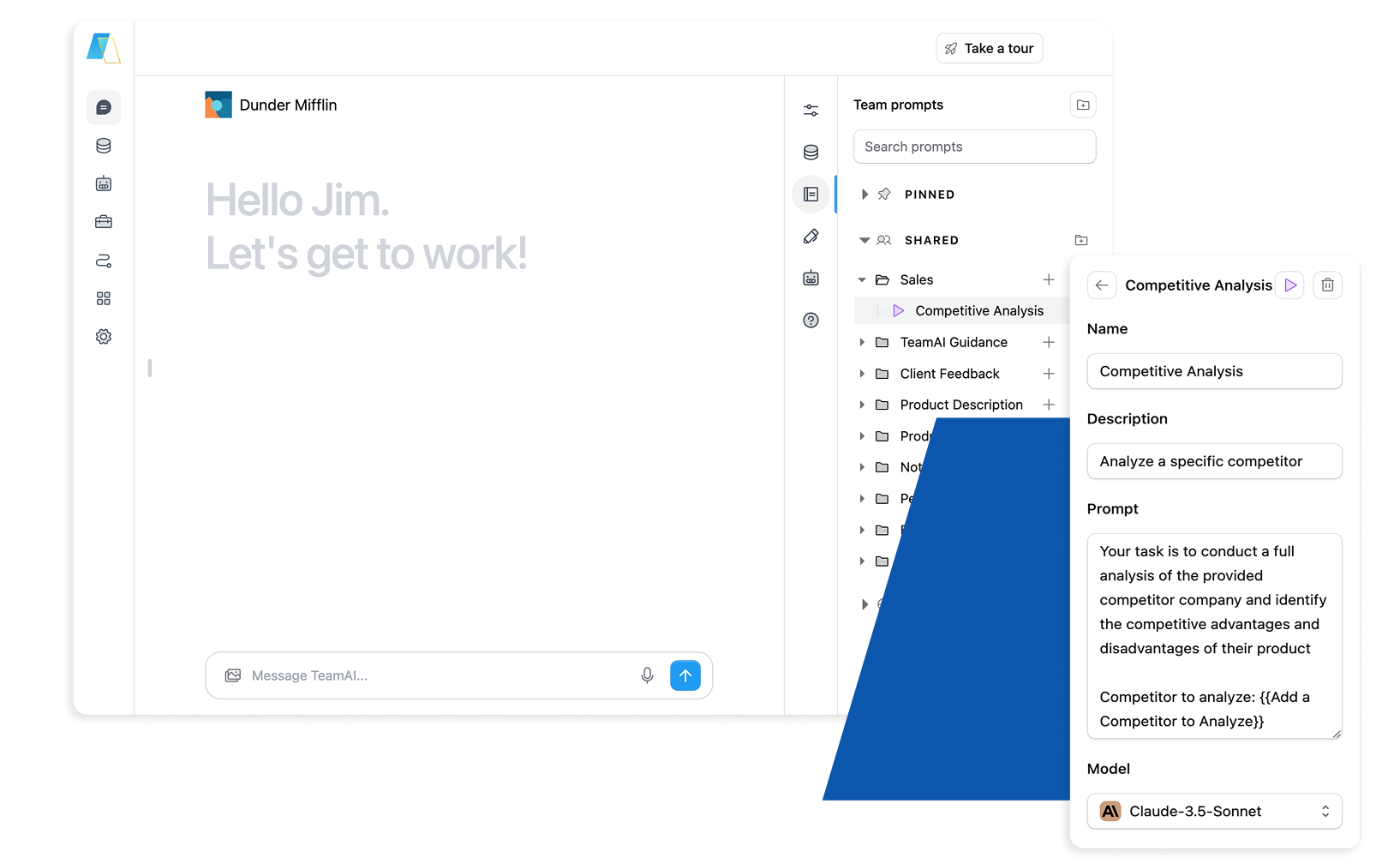
TeamAI Prompt Management


🗂️ Custom AI Prompt Library

Build your team’s collection of high-performing AI prompts. Organize by department, use case, or project for instant access.

🚀 Shared Prompt Templates

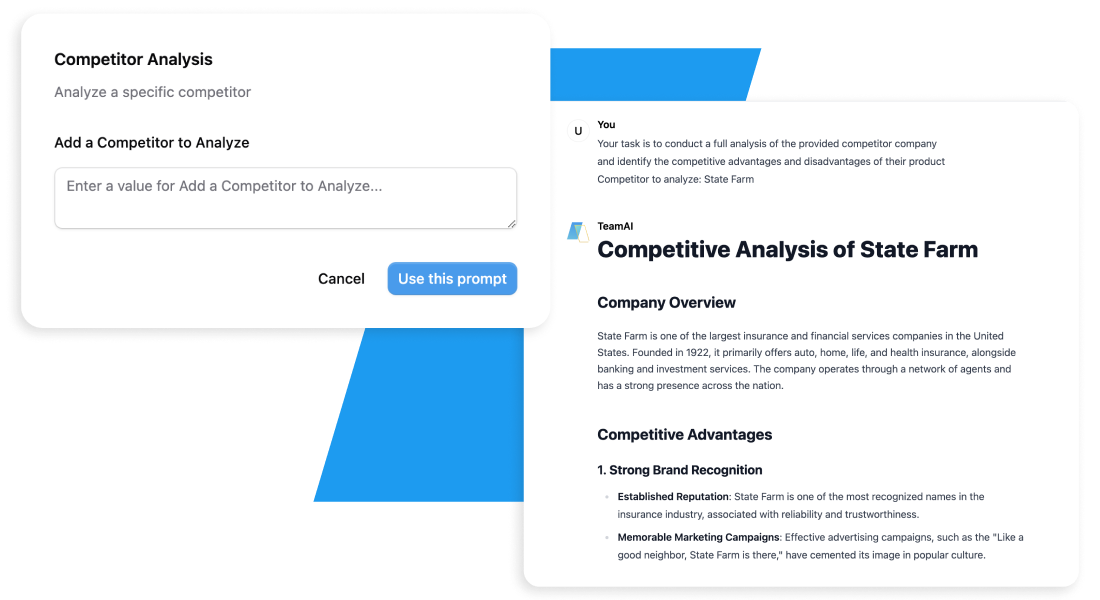
Access curated prompt templates and customize them for your team’s needs. Save and share your own successful prompts.

🤝 Team Collaboration

Share prompts across workspaces, collaborate on improvements, and maintain version control for your best-performing templates.

🔗 Multi-LLM Integration

Use the same prompts across ChatGPT, Claude, Gemini, and other models. Compare results and optimize performance.

Build AI Agents That Actually Work for Your Business


Get Started in TeamAI

AI Collaboration Leads to Business Growth

AI Collaboration Leads to Business Growth

WebFX Superpowers it’s Marketing Team

“TeamAI’s collaborative features have superpowered our teams. Hundreds of our employees have been able to share prompts and use multiple models using TeamAI. It is flexible enough for all of our teams’ processes and powerful enough to do everything they need.
TeamAI is a gamechanger.”

Your Guide to Custom Prompts

Creating effective prompts is essential for maximizing TeamAI’s capabilities. Here’s an overview of how to create a quality prompt:

  1. Identify the Challenge – Define what you need to accomplish
  2. Review Your Resources – Consider available data and constraints
  3. Choose Prompt Style – Select the best approach for your goal
  4. Build Context – Add relevant background and perspective
  5. Select AI Model – Pick the optimal model for the task
  6. Draft Structure – Organize your prompt logically
  7. Refine & Test – Polish language and validate results
  8. Iterate Based on Results – Continuously improve performance
Slanted BG

Teams Love Their Custom Prompt Libraries

“TeamAI’s prompt library saved our marketing team 10+ hours per week. We went from recreating prompts daily to having a goldmine of tested templates.”

— Sarah M., Marketing Director


AI Prompt Templates for Every Team

Marketing Team Productivity
Brand Voice Consistency: Standardized prompts ensuring all content matches your brand guidelines

Audience Targeting: Pre-built personas and messaging frameworks for different customer segments

Content Calendar Planning: Templates for social media, blog posts, and email campaigns

Start your Deployment Today

Sales Team Acceleration
Proposal Generation

Industry-Specific Templates: Customized proposal frameworks for different verticals
Competitive Positioning: Prompts for highlighting advantages over specific competitors
Standardized value proposition templates with industry benchmarks

Follow-Up Automation

Sequence Templates: Multi-touch follow-up campaigns adapted to prospect behavior
Objection Handling: Pre-built responses to common sales objections
Discovery Questions: Industry-specific questioning frameworks

Start your Deployment Today

HR & People Operations
Recruitment & Hiring

Job Description Generation: Role-specific templates with compliance requirements
Interview Questions: Behavioral and technical question sets by position level
Candidate Evaluation: Standardized scoring rubrics and feedback templates

Performance Management

Review Templates: Department-specific performance criteria and goal-setting frameworks
Development Plans: Career progression templates with skill assessments
Recognition Programs: Peer nomination and achievement celebration templates

Start your Deployment Today

Operations & Business Development
Market Analysis

SWOT Frameworks: Comprehensive competitive analysis templates
Market Entry Strategies: Geographic expansion and product launch planning
Risk Assessment: Scenario planning and mitigation strategy development

Process Optimization

Workflow Documentation: Standard operating procedure templates
Quality Assurance: Audit checklists and compliance verification prompts
Vendor Management: RFP templates and supplier evaluation criteria

Start your Deployment Today

Enhanced FAQ Accordion

But What About…?

What if different departments need completely different types of prompts?

Custom libraries support department-specific collections while maintaining organization-wide visibility. Marketing can access sales prompts for customer insights, while HR keeps sensitive templates private. Flexible permissions ensure the right access for each team.

How long does it take to build a useful prompt library?

Most teams create 10-15 core prompts in the first week covering their primary functions. The library grows organically as teams identify repetitive tasks and successful prompt patterns. The key is starting with immediate-impact use cases, not trying to build everything at once.

Can we control which teams access different prompt libraries?

Yes. Create department-specific libraries with granular permissions. Finance prompts stay within finance, while general productivity templates can be shared company-wide. Administrators maintain full visibility and control over all organizational prompt assets.

How does this compare to hiring AI consultants or building internal AI teams?

Custom prompt libraries democratize AI expertise across your organization. Instead of depending on external experts or a small internal team, every employee can access proven prompts and contribute improvements. This builds sustainable, organization-wide AI capabilities.

How do we measure success beyond time savings?

Track consistency in outputs, faster onboarding times, reduced revision cycles, and improved first-draft acceptance rates. Many teams see 40% improvement in initial work quality because they’re starting with proven frameworks instead of blank pages.

Try TeamAI Today

Create your AI-driven workspace in just 30 seconds

Create a Workspace